Home security doesn’t stop at your front door, it moves. Pan tilt zoom (PTZ) cameras track motion, cover wide areas, and zoom in on details that fixed cameras miss. Whether you’re monitoring a sprawling backyard, keeping an eye on a driveway, or covering multiple entry points with a single device, PTZ cameras offer flexibility that traditional security cams can’t match. This guide walks homeowners through choosing, installing, and positioning PTZ cameras for maximum protection without the guesswork or the contractor bill.
Table of Contents
ToggleKey Takeaways
- Pan tilt zoom security cameras track motion and cover wide areas with a single device, replacing three or four fixed cameras and reducing installation costs while providing full perimeter monitoring.
- PTZ cameras offer real-time interaction through manual control, allowing homeowners to zoom in on license plates, verify threats, and document incidents—capabilities that static cameras cannot match.
- Choose resolution based on your needs: minimum 1080p for basic identification, but upgrade to 4MP or 4K for license plates and facial details, while balancing bandwidth and storage capacity.
- Proper placement at 9–12 feet high on choke points like gates and driveways maximizes security coverage, while pairing PTZ units with fixed cameras eliminates blind spots and ensures continuous protection.
- DIY installation of a pan tilt zoom camera takes 2–4 hours with standard tools and PoE connectivity, but mounting safety above 10 feet or near power lines requires a licensed electrician.
- Wireless PTZ cameras require strong Wi-Fi signal for responsive control and smooth 4K streaming, so test connectivity before installation or use PoE cable connections for reliable performance.
What Is a Pan Tilt Zoom (PTZ) Security Camera?
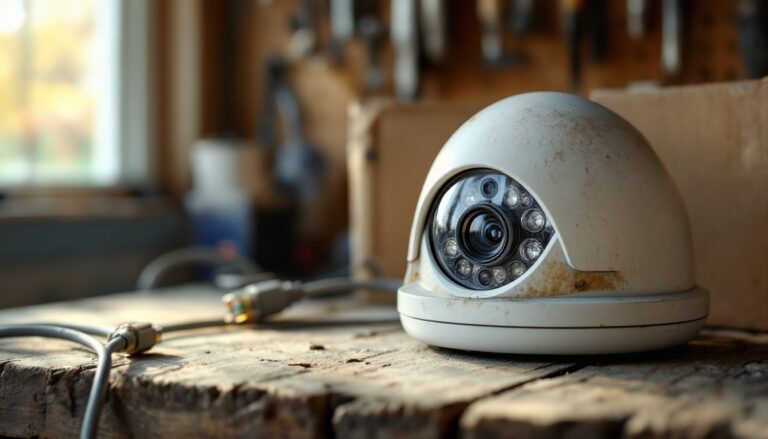
A pan tilt zoom camera is a remotely controllable security device that moves horizontally (pan), vertically (tilt), and adjusts its lens (zoom) to capture detailed footage across large areas. Unlike fixed cameras that monitor a single field of view, PTZ models rotate up to 360 degrees horizontally and ±90 degrees vertically, allowing one camera to do the work of three or four stationary units.
Most PTZ cameras connect via PoE (Power over Ethernet), which delivers both power and data through a single cable, or wirelessly through Wi-Fi. High-end models include optical zoom lenses (typically 3x to 30x magnification) that preserve image clarity, unlike digital zoom, which crops and pixelates the frame.
These cameras come in two main control styles: manual control via smartphone app or computer software, and automated tracking that follows detected motion. Manual control suits scenarios where a homeowner wants to check specific zones on demand, say, verifying a delivery at the front porch. Auto-tracking works well for unattended monitoring, keeping moving subjects centered in the frame.
PTZ cameras are ideal for properties with wide open spaces, multiple access points, or areas where you can’t mount several fixed cameras due to wiring or aesthetic constraints. They’re not a plug-and-play miracle, though, proper placement and network bandwidth matter.
Key Benefits of Installing a PTZ Camera for Home Security
Expanded coverage with fewer devices. One PTZ camera can monitor an entire backyard, driveway, or side yard that would otherwise require multiple fixed cameras. That reduces cable runs, power outlets, and total hardware cost. For homeowners working within a budget, this consolidation can mean the difference between partial coverage and full perimeter monitoring.
Real-time interaction during events. When a motion alert triggers, homeowners can manually steer the camera to follow a person, zoom in on a license plate, or verify whether that shadow by the shed is a raccoon or a trespasser. This active control isn’t possible with static cameras. Industry reviews on platforms like CNET highlight how this responsiveness improves incident documentation and real-time decision-making.
Deterrent effect. Visible PTZ cameras signal active surveillance. Potential intruders recognize that a camera following their movement means someone’s likely watching. The psychological impact often deters opportunistic crime before it starts.
Detail capture at distance. Optical zoom preserves resolution, so a camera 50 feet from a gate can still capture readable text on a delivery box or facial features of a visitor. Fixed wide-angle cameras lose that detail to distance and lens distortion.
Integration with smart home ecosystems. Modern PTZ models work with voice assistants, home automation platforms, and cloud storage services, allowing homeowners to set up routines, like automatically panning to the driveway when the gate sensor trips, or zooming to the front door when the doorbell rings.
How to Choose the Right Pan Tilt Zoom Camera for Your Home
Resolution and Night Vision Features
Resolution determines what you can actually see. At minimum, choose a 1080p (2MP) camera for basic identification. For license plates, facial details, or zoomed-in forensic clarity, step up to 4MP or 4K models. Higher resolution demands more bandwidth and storage, so balance image quality with your network capacity and recording setup.
Night vision comes in two forms: infrared (IR) and color night vision. IR cameras switch to black-and-white footage in low light, using built-in LEDs to illuminate up to 100–300 feet depending on the model. Color night vision uses ambient light (streetlights, porch lights) or built-in spotlights to maintain color footage after dark. For most residential applications, IR is sufficient and less conspicuous. Color night vision helps when identifying clothing or vehicle color matters.
Check the camera’s IR cut filter and low-light sensitivity rating (measured in lux). Cameras rated below 0.01 lux perform well in near-darkness. Avoid models that rely solely on digital image enhancement, they introduce grain and false colors that obscure detail.
Smart Integration and Remote Control Options
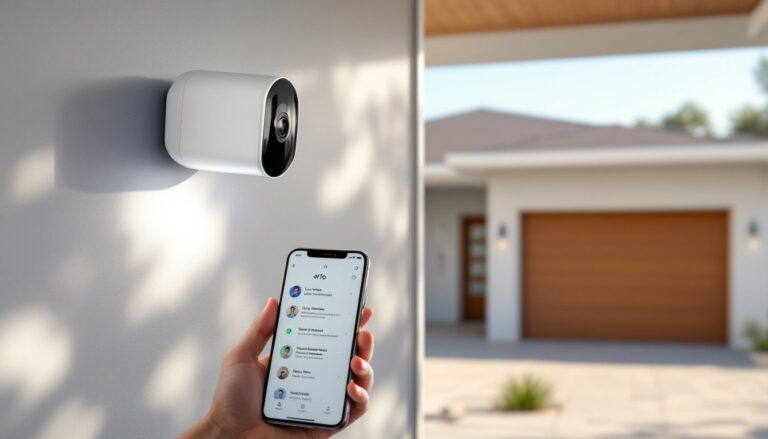
App control is standard, but quality varies. Test whether the app supports preset positions (saving specific camera angles for quick recall), patrol routes (automated panning through multiple waypoints), and privacy zones (areas the camera won’t record, like a neighbor’s window). Some apps lag or require constant re-login: read user reviews before committing.
Voice control through Alexa or Google Assistant allows commands like “show the backyard camera” or “pan left.” This hands-free operation is useful when you’re mid-project or carrying groceries inside. But, voice control often only works with cameras that support RTSP streaming or specific platform integrations, verify compatibility before purchasing.
For serious automation, look for ONVIF compliance, a standard that ensures cameras work with third-party NVRs (network video recorders) and home automation systems like Home Assistant. Proprietary ecosystems lock you into one brand’s hardware and cloud fees.
Two-way audio adds another layer of interaction, warn off a package thief, greet a delivery driver, or tell the dog to stop digging. Built-in sirens or spotlights triggered by motion add active deterrence beyond passive recording. Comparisons across smart home security devices show that integrated alert systems reduce false alarms when paired with AI-based person detection.
Step-by-Step Installation Guide for DIY Homeowners
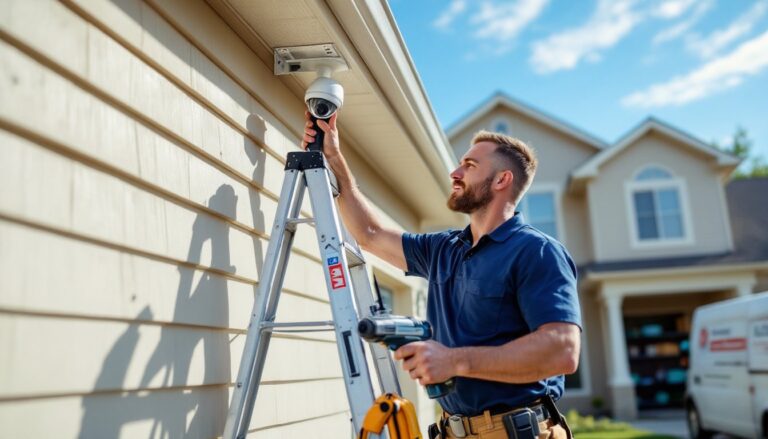
Safety first: If mounting above 10 feet or near power lines, hire a licensed electrician. PTZ cameras are heavier than fixed models (often 3–6 lbs), and roof or eave mounts require secure anchoring. Wear safety goggles and use a stable ladder with a spotter.
Materials and tools:
- PTZ security camera with mount
- PoE injector or PoE switch (if camera supports PoE)
- CAT6 Ethernet cable (outdoor-rated if running cable outside)
- Drill with masonry or wood bits (match to mounting surface)
- Weatherproof junction box (for cable connections)
- Cable clips or conduit
- Silicone sealant
- Voltage tester (if tapping existing power)
Installation steps:
-
Choose the mount location. PTZ cameras need unobstructed rotation and a solid mounting surface, soffit, eave, wall, or pole mount. Avoid mounting directly to vinyl siding without a backer board: the weight can warp the material. For masonry, use concrete anchors rated for 50+ lbs.
-
Run the cable. Measure the distance from the camera to your router, NVR, or PoE switch. Add 10% for slack and routing around obstacles. Drill a ½-inch hole through the wall, angling it slightly downward to prevent water intrusion. Use a fish tape or stiff wire to pull cable through walls or attics. Seal the exterior penetration with silicone caulk.
-
Mount the camera. Attach the mounting bracket using lag bolts or masonry screws. Ensure it’s level, PTZ cameras have internal motors that assume a level base for accurate panning. Connect the Ethernet cable to the camera, leaving a drip loop (a downward curve in the cable before it enters the mount) to shed rainwater.
-
Power and configure. If using PoE, connect the camera’s Ethernet cable to a PoE switch or injector. The camera should power on within 30–60 seconds. If using a separate power adapter, plug it into a GFCI-protected outdoor outlet. Access the camera’s setup interface via its IP address (check the manual or use the manufacturer’s discovery tool). Set a strong password immediately, default credentials are public knowledge.
-
Test movement and coverage. Use the app to pan, tilt, and zoom through the full range of motion. Verify there are no obstructions (eaves, gutters, tree branches). Set preset positions and test auto-tracking if supported. Adjust the mount angle if the camera can’t tilt low enough or pans into a wall.
-
Weatherproof connections. If cable connections are outdoors, enclose them in a weatherproof junction box. Use waterproof RJ45 connectors or pass the cable through the box and seal with glands. Check connections after the first rain to confirm no moisture intrusion.
DIYers comfortable running low-voltage cable and mounting hardware can complete installation in 2–4 hours. If you’re unsure about drilling into brick or need to integrate with an existing alarm system, consult a professional. Some municipalities require permits for exterior security camera installations, verify local codes before drilling.
Best Placement Strategies to Maximize Coverage
Height matters. Mount PTZ cameras 9–12 feet high, high enough to prevent tampering but low enough for facial recognition when the camera tilts down. Mounting too high forces steep tilt angles that distort faces and reduce zoom effectiveness.
Cover choke points, not open space. Position cameras to monitor gates, driveways, side yards, and pathways where intruders must pass, rather than trying to cover an entire lawn. PTZ cameras excel at tracking movement through defined zones. Use wide-angle fixed cameras for broad overviews and reserve PTZ units for active monitoring of high-traffic areas.
Avoid backlighting. Don’t aim cameras directly at the sun, streetlights, or bright windows. Backlighting washes out detail and triggers false motion alerts. If unavoidable, enable WDR (wide dynamic range) in the camera settings to balance bright and dark areas within the frame.
Overlap coverage zones. If using multiple cameras, set up overlapping fields of view so one camera’s blind spot is covered by another. PTZ cameras can’t monitor everywhere at once, if the camera is panning left, it’s not watching right. Pair PTZ cameras with fixed units for continuous coverage of critical zones like entry doors.
Account for Wi-Fi range. Wireless PTZ cameras need strong, consistent signal to stream high-resolution video and respond to remote commands. Test signal strength at the mount location before installation. If the signal is weak, use a PoE connection, a Wi-Fi extender, or a mesh network node nearby. Bandwidth-heavy features like 4K streaming and continuous recording can choke a home network, allocate dedicated bandwidth or use a separate VLAN for security devices.
Seasonal adjustments. Trees grow, leaves fall, and landscaping changes. Review camera coverage every few months and adjust preset positions as needed. Snow accumulation on the camera housing can block the lens or freeze pan/tilt motors, choose models rated for your climate or install a weatherproof housing with a heater.
For those upgrading from basic systems or shopping during discount periods, exploring options through security camera discounts can reduce upfront costs while maintaining quality. Proper placement and configuration matter more than brand hype, a well-positioned mid-tier PTZ camera outperforms a poorly placed premium model every time.