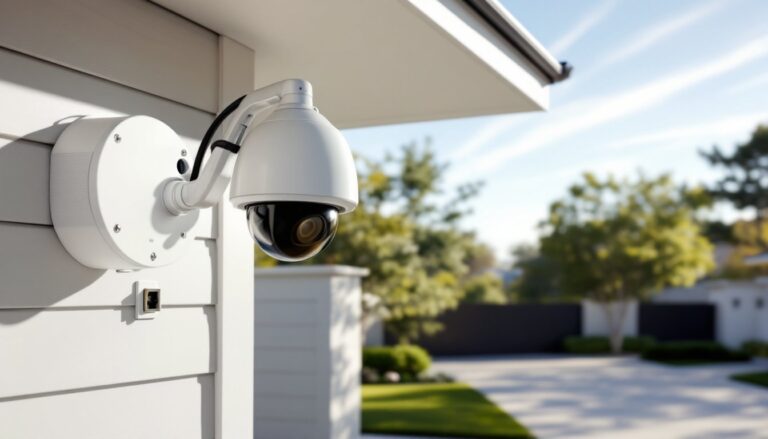
Not everyone wants their security footage floating around in the cloud. Whether it’s privacy concerns, spotty internet in rural areas, or simple reliability, non WiFi security cameras offer a hard-wired solution that doesn’t depend on bandwidth or monthly cloud fees. These systems record locally, work during internet outages, and can’t be hacked remotely through your home network. If you’re tired of subscription fees or want coverage in a detached garage, workshop, or cabin without WiFi, offline cameras might be exactly what you need. Here’s how they work and how to choose the right setup for your property.
Table of Contents
ToggleKey Takeaways
- Non WiFi security cameras offer local storage and operate without internet dependence, providing privacy, reliability, and freedom from monthly cloud subscription fees.
- Wired CCTV systems using coaxial or Ethernet cables, cellular cameras with 4G/5G, and battery-powered options each serve different needs—from rural properties to temporary monitoring situations.
- Local storage via DVR, NVR, or SD cards keeps your footage entirely under your control and eliminates vulnerability to remote hacking through home networks.
- Proper installation requires planning camera placement at 8–10 feet high, using weatherproof cable, and sealing all exterior penetrations with silicone caulk to prevent water damage.
- H.265 compression technology reduces file sizes by 40% compared to H.264, effectively doubling storage capacity and reducing the cost per recorded hour of surveillance.
What Is a Non WiFi Security Camera and How Does It Work?
A non WiFi security camera operates without connecting to your home’s wireless network. Instead, it uses wired connections (coaxial cable, Ethernet, or power-over-Ethernet), cellular data, or standalone battery-powered systems with SD card storage.
Wired CCTV cameras transmit video signals through coaxial or Cat5e/Cat6 Ethernet cables to a DVR (Digital Video Recorder) or NVR (Network Video Recorder) that stores footage on an internal hard drive. These systems don’t touch the internet unless you manually configure remote viewing through a wired router connection, completely bypassing WiFi.
Cellular cameras connect to 4G LTE or 5G networks using a SIM card and data plan, similar to how your phone works. They’re ideal for remote locations like barns, job sites, or vacation properties where running cable isn’t practical and WiFi doesn’t reach.
Battery-powered cameras with local SD card slots record motion-triggered clips directly to removable storage. You physically retrieve the card to review footage, no network required. These work well for temporary monitoring or areas where running power is difficult.
All three types eliminate the vulnerabilities of WiFi: no network passwords to crack, no dependence on router reliability, and no risk of bandwidth throttling affecting video quality.
Why Choose a Security Camera Without WiFi?
Privacy and security top the list. WiFi cameras transmit data over your home network and often upload footage to third-party cloud servers. Non WiFi systems keep recordings entirely local, on your DVR, NVR, or SD card, giving you full control over who accesses your footage.
Reliability in areas with weak or no internet is another major advantage. Rural properties, detached workshops, and older homes with thick plaster walls often struggle with WiFi dead zones. A wired system or cellular camera doesn’t care about your router’s range.
No recurring cloud storage fees. Most WiFi cameras require monthly subscriptions ($3–$15 per camera) to store footage beyond 24 hours. With local storage, you pay once for the hard drive or SD card and own your recordings outright.
Resistance to hacking. WiFi cameras are vulnerable to credential stuffing, firmware exploits, and botnet attacks. Wired systems that aren’t connected to the internet can’t be remotely compromised. Even cellular cameras are harder to target because they don’t broadcast a local signal hackers can intercept.
Better bandwidth management. Streaming multiple high-resolution WiFi cameras can saturate your home network, slowing down video calls, gaming, and streaming. Wired and cellular cameras offload that traffic entirely.
If you’re upgrading from older analog systems, many homeowners appreciate the ability to leverage existing coaxial cable runs rather than rewiring the entire house for WiFi coverage.
Types of Non WiFi Security Cameras for Your Home
Wired CCTV Systems
Analog CCTV (using coaxial cable and DVRs) remains common for budget-conscious installs. Cameras connect via RG59 or RG6 coaxial cable to a DVR, which converts analog signals to digital for storage. Resolution maxes out around 1080p with newer HD-TVI or HD-CVI formats. Analog systems are straightforward, no IP addressing, no network configuration, but upgrading individual cameras often means replacing the entire DVR.
IP cameras over Ethernet (PoE) offer higher resolution (4MP, 5MP, or 8MP) and run on Cat5e or Cat6 cable, which carries both power and data. An NVR (Network Video Recorder) connects to a wired router, allowing local playback without internet, though you can enable remote viewing if needed. PoE switches simplify installation by eliminating separate power supplies at each camera location. You’ll need a PoE injector or PoE switch, plan on 15–30 watts per camera depending on resolution and features like pan-tilt-zoom (PTZ).
Wired systems require drilling through exterior walls and fishing cable through attics or crawl spaces. Seal all penetrations with silicone caulk to prevent water intrusion. If you’re running cable in unfinished spaces, staple it to joists every 16–24 inches to meet code and avoid sagging.
Cellular Security Cameras
Cellular cameras use 4G LTE or 5G and a SIM card from carriers like Verizon, AT&T, or T-Mobile. Expect data costs of $10–$25 per month depending on video resolution and upload frequency. These cameras work anywhere with cell signal, no WiFi, no hardwiring.
Most cellular cams are battery-powered with solar panel add-ons for extended runtime. They’re motion-activated to conserve data and battery life, recording 10–60 second clips when triggered. Image quality ranges from 720p to 1080p: higher resolutions burn through data faster.
Installation is simple: mount the camera, insert the SIM card, and pair it with a smartphone app over cellular. Cellular cameras excel for monitoring construction sites, gates, livestock areas, or cabins. Check signal strength before mounting, most manufacturers include apps to test connectivity. Weak signal areas may require an external antenna or repositioning.
Some models store clips locally on SD cards (32–256GB) as a backup if cellular service drops. Outdoor cellular cameras need IP65 or higher weather rating and should be mounted under eaves or use sun shades to prevent overheating in summer. Modern smart home devices are increasingly supporting cellular-connected models for remote property monitoring.
Local Storage Options: SD Cards and DVR/NVR Systems
SD cards are the simplest local storage. Cards range from 32GB to 512GB: a 128GB card holds roughly 3–7 days of motion-triggered 1080p footage depending on compression (H.264 vs. H.265). Use Class 10 or UHS-I rated cards designed for continuous write cycles, cheap cards fail quickly under constant recording.
SD cards work well for single-camera setups or temporary monitoring, but they’re not practical for multi-camera systems. You have to physically remove the card to review footage, and if the camera is stolen, so is your evidence.
DVRs and NVRs centralize storage for 4–16+ cameras. DVRs pair with analog coaxial cameras: NVRs work with IP cameras over Ethernet. Both use 3.5-inch SATA hard drives, typically 1TB to 8TB. A 2TB drive stores roughly 2–4 weeks of continuous 1080p footage from four cameras, longer if motion-only recording is enabled.
When selecting a DVR/NVR, match the channel count to your camera quantity plus a couple extra for future expansion. An 8-channel NVR supports up to eight cameras. Frames per second (fps) matter: 30fps gives smooth playback: 15fps is acceptable for general monitoring but choppy for fast motion like vehicles.
H.265 (HEVC) compression reduces file sizes by roughly 40% compared to older H.264 without sacrificing image quality, effectively doubling your storage capacity. Most systems sold after 2024 support H.265.
Place your DVR/NVR in a locked closet, basement, or secured cabinet. If a burglar sees it, they’ll take it. Run cables through conduit when possible for added security and to meet code in some jurisdictions. Connect the recorder to an uninterruptible power supply (UPS) to maintain recording during brief power outages.
Many home security installations now integrate local recorders with optional remote viewing capabilities, giving homeowners the flexibility to check footage from anywhere without relying solely on cloud services.
Installation Tips for Non WiFi Security Cameras
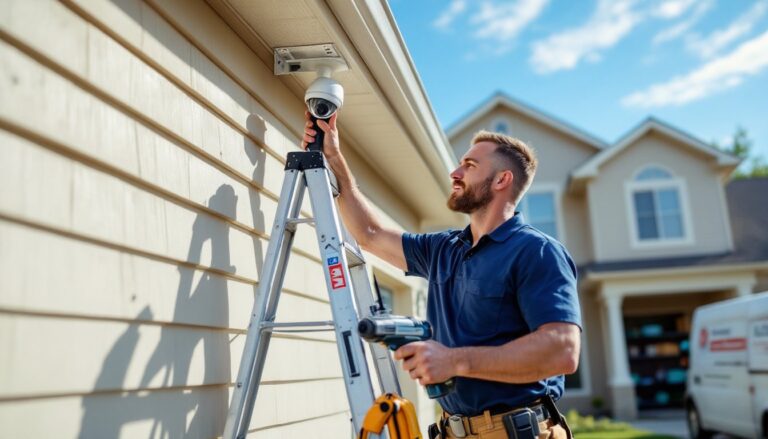
Plan camera placement before drilling. Cover entry points, front and back doors, garage, and ground-floor windows. Mount cameras 8–10 feet high to prevent tampering but low enough to capture faces, not just the tops of heads. Angle cameras slightly downward.
Use a voltage tester before drilling near electrical boxes or existing wiring. Hit a live wire with a drill bit, and you’ll know it. For exterior mounting on vinyl or wood siding, drill pilot holes and use stainless steel or coated screws to prevent rust. Seal screw holes and cable entries with exterior-grade silicone caulk.
When running coaxial or Ethernet cable outdoors, use direct-burial rated cable if trenching underground (bury at least 6–12 inches deep, deeper if local code requires). For above-ground runs, protect cable in PVC conduit or weatherproof cable raceways. Staple indoor cable runs to studs or joists, don’t let it drape across open spaces where it’s a tripping hazard or can be snagged.
Label every cable at both ends. Use a label maker or masking tape and a Sharpie. When you’re troubleshooting six identical black cables behind the DVR two years from now, you’ll thank yourself.
PoE installation requires a PoE switch or injector. A PoE+ switch (802.3at) delivers up to 30 watts per port, enough for PTZ or infrared cameras. Non-PoE cameras need separate 12V DC power supplies at each camera location or a centralized power distribution box. Keep power supplies in weatherproof enclosures if mounted outdoors.
For cellular cameras, test signal strength at the proposed mounting location before finalizing. Walk around with your phone on the same carrier and check bars, cameras need at least two bars of 4G LTE for reliable uploads. If signal is weak, try repositioning 5–10 feet higher or closer to the property’s edge.
Wear safety glasses when drilling overhead and use a dust mask if working in attics with blown insulation. A stud finder prevents drilling into wall studs unnecessarily, though you’ll want to hit a stud when mounting heavier cameras.
If your installation involves running cable through finished walls or making multiple exterior penetrations, and you’re not comfortable with that level of finish carpentry and sealing, hiring a low-voltage electrician for $200–$400 can save headaches. Permits typically aren’t required for security camera installation unless you’re running new electrical circuits, but always check local code.
For budget-conscious upgrades, many homeowners look for security camera discounts on bundles that include cameras, recorders, and all necessary cabling in a single package, simplifying both purchasing and installation.