Choosing a home security system isn’t just about picking cameras and sensors, it’s about deciding who’s watching those feeds when you’re asleep or halfway across the country. Professional monitoring services act as your home’s 24/7 security team, dispatching help the moment something goes wrong. But with dozens of providers, wildly different pricing models, and features that range from basic alarm response to AI-powered threat detection, figuring out which monitoring service fits your needs can feel like navigating a maze. This guide breaks down what professional monitoring actually involves, which companies lead the pack in 2026, and how to set up a monitored system without paying a contractor to do what you can handle yourself.
Table of Contents
ToggleKey Takeaways
- Professional home security monitoring stations operate 24/7/365 with trained operators who verify threats and dispatch emergency responders, providing protection even when you’re asleep or unreachable.
- Top providers like ADT, Vivint, SimpliSafe, Ring, and Abode offer varying contract terms and pricing from $17.99 to $60 monthly, with DIY options costing $200–$300 upfront versus professional installation systems at $600–$1,200.
- Cellular backup, UL/TMA certification, two-way voice communication, and video verification are essential features that separate reliable monitoring services from basic alternatives.
- Self-monitoring costs less but leaves your home unprotected when unavailable, while professional monitoring adds security for travelers, elderly residents, and high-crime areas where verified emergency response is critical.
- DIY installation of monitored security systems is achievable by carefully planning sensor placement, mounting the base station properly, testing all devices, and confirming cellular backup before activating professional monitoring service.
- Monthly costs for home security monitoring range from $15–$20 for basic service to $40–$60 for premium plans with video verification and smart home integration, with total first-year costs between $350–$800 depending on equipment and installation choices.
What Is Professional Home Security Monitoring?
Professional monitoring means a staffed command center receives alerts from your security system and takes action, verifying the threat, contacting you, and dispatching police, fire, or medical responders if needed. When a door sensor trips or a smoke detector sounds, the signal goes to the monitoring station within seconds, not to your phone alone.
Unlike self-monitored setups that rely on smartphone notifications, professional services provide a trained human layer between your alarm and emergency response. If you’re in a dead-zone, asleep, or otherwise unreachable, the monitoring team escalates on your behalf. Most stations operate 24/7/365 and are certified by organizations like Underwriters Laboratories (UL) or The Monitoring Association (TMA) to meet industry standards for response time and redundancy.
Monitoring centers typically use redundant communication paths, cellular backup, broadband, and sometimes landline, so a cut cable or Wi-Fi outage won’t leave your home vulnerable. When an alarm triggers, the operator sees your system’s zone information (e.g., “back door contact sensor”) and follows a protocol: attempt to reach the homeowner, check for a duress code, then notify authorities if the threat is confirmed. Response times vary by jurisdiction, but the monitoring station’s job is to get help rolling as fast as possible.
Some services now include environmental monitoring, carbon monoxide, water leaks, temperature extremes, and can dispatch the appropriate help even when you’re not aware of the problem yet. It’s a safety net that extends beyond break-ins.
Top-Rated Home Security Monitoring Services for 2026
The monitoring landscape has matured, with a few standout providers earning trust through reliable service, transparent pricing, and robust hardware ecosystems.
ADT remains the heavyweight, with over 145 years in the business and monitoring centers across North America. ADT’s professional-grade systems include cellular and broadband backup, and their contracts typically run 36 months with monthly fees ranging from $45 to $60 depending on the package. They require professional installation, which adds upfront cost but ensures sensors are positioned correctly and wired cleanly.
Vivint offers similar professional installation with a focus on smart home integration, touchscreen panels, smart locks, and doorbell cameras that tie into a single interface. Monitoring costs hover around $40 to $50 per month, and their equipment often uses Z-Wave protocols for broader compatibility with third-party devices. Contracts are usually multi-year, and early termination fees can sting.
SimpliSafe targets the DIY crowd with peel-and-stick sensors, straightforward setup, and no-contract monitoring starting at $17.99 per month for basic professional monitoring (rising to $27.99 for video recording and smart home extras). Their systems use cellular and Wi-Fi, and the company has earned high marks in independent home security reviews for ease of use and transparent pricing.
Ring Alarm Pro combines security monitoring with an eero Wi-Fi 6 router, offering optional professional monitoring for $20 per month (or $200 annually). The Pro model includes cellular backup, and Ring’s ecosystem of cameras and doorbells integrates seamlessly. It’s a solid pick if you’re already invested in Amazon’s ecosystem.
Abode appeals to power users who want flexibility: professional monitoring is available on-demand (pay-per-use at $8 for three days, or $20 monthly for continuous service), and the system works with HomeKit, Alexa, and Google Assistant without forcing you into a single platform. Their smart home security approach gives you control over automation rules and third-party integrations that other providers lock down.
For those comparing systems, detailed guides on monitoring capabilities can help narrow the field based on contract terms, equipment quality, and customer service track records.
Professional Monitoring vs. Self-Monitoring: Which Is Right for You?
Self-monitoring puts you in the driver’s seat: alerts hit your phone, and you decide whether to call 911 or ignore a false alarm from the cat. It’s cheaper (often free beyond equipment costs or minimal cloud storage fees) and appeals to tech-savvy homeowners who want full control. But it has a critical weakness, if you’re unavailable, asleep, or in an area with poor cell service, no one’s watching.
Professional monitoring costs more but removes the burden of being your own security dispatcher. You get trained operators, verified response, and the peace of mind that someone’s always on duty. It’s especially valuable for:
- Frequent travelers who can’t guarantee they’ll see an alert in real time
- Elderly or medically vulnerable residents who need fast emergency response
- Families with kids where adults may be occupied or phones on silent
- Homes in high-crime areas where seconds matter and police response is prioritized for verified alarms
Some providers offer hybrid models: self-monitoring by default with the option to activate professional service on-demand or during vacations. Abode and Ring both support this approach, letting you toggle monitoring on and off as needed. It’s a middle ground that keeps monthly costs low while preserving the option for full-time oversight.
False alarm rates matter more with professional monitoring. Many jurisdictions fine homeowners for repeated false dispatches, and some police departments won’t respond without verification. Choose a system with entry delay timers, keypad disarm prompts, and pet-immune motion sensors to minimize nuisance trips. Monitoring centers often call before dispatching to confirm the threat, which helps reduce false positives but can add a minute to response time.
Key Features to Look for in a Monitoring Service
Not all monitoring services are created equal. Here’s what separates the leaders from the also-rans:
- UL or TMA Certification: Ensures the monitoring station meets industry standards for redundancy, response protocols, and operator training. If the provider won’t mention certification, that’s a red flag.
- Cellular Backup: Broadband and Wi-Fi can be cut or jammed. A cellular radio module (usually LTE or 5G) keeps the system online even if the internet goes down. This is non-negotiable for serious security.
- Two-Way Voice: Built-in speakers and microphones in the control panel let operators communicate directly with you or potential intruders. It’s standard on most modern panels but worth confirming.
- Environmental Alerts: Smoke, CO, water leaks, and freeze sensors can prevent disasters that have nothing to do with burglary. Some plans include these in the base rate: others charge extra.
- Crash and Smash Protection: Buffers the signal so if someone smashes the panel before it fully transmits an alarm, the monitoring center still gets a partial alert. Requires cellular backup and cloud signal buffering.
- Video Verification: Some systems (Vivint, ADT, Ring) allow monitoring centers to pull live video feeds during an alarm event, which speeds police response and reduces false dispatches. Expect to pay more for this feature.
- Mobile App Quality: You’ll interact with the system daily via app, arming, disarming, checking camera feeds. Poor app design or laggy performance makes even the best hardware frustrating.
- Contract Flexibility: Month-to-month plans cost slightly more but avoid early termination fees. If you’re unsure about committing, pay the premium for no-contract service.
Comparing Xfinity’s bundled approach with standalone providers like SimpliSafe can highlight trade-offs between bundled discounts and contract lock-in.
How Much Does Home Security Monitoring Cost?
Monthly monitoring fees range from $15 to $60, depending on the level of service:
- Basic monitoring (burglary/intrusion only, no cellular backup): $15–$20/month
- Standard monitoring (intrusion + fire/CO, cellular backup): $25–$35/month
- Premium monitoring (video verification, smart home integration, environmental sensors): $40–$60/month
Upfront equipment costs vary widely. DIY systems like SimpliSafe or Ring start around $200 to $300 for a starter kit (base station, keypad, a few sensors). Professional setups from ADT or Vivint can run $600 to $1,200 depending on the number of sensors, cameras, and smart devices, though they often subsidize equipment if you sign a long-term contract.
Installation fees add another layer. DIY is free beyond your time: professional installation typically costs $100 to $200 unless waived as part of a contract promotion. If you’re comfortable mounting sensors, running power to cameras, and configuring network settings, DIY saves cash and gives you flexibility.
Cellular backup modules sometimes incur a one-time cost ($50 to $100) or are bundled into higher-tier monitoring plans. Video storage (cloud-based recording) usually requires a separate subscription, $3 to $15 per camera per month, or a flat rate for unlimited cameras.
Permit and registration fees vary by city. Some municipalities charge $25 to $75 annually to register a monitored alarm system and track false alarm counts. Check with your local police department before signing up.
Total first-year cost for a mid-tier system with professional monitoring: roughly $500 to $800 (equipment + installation + 12 months of service). DIY setups can cut that to $350 to $500. Over time, no-contract plans save money if you’re willing to pay slightly higher monthly rates. Home security specials often bundle equipment discounts with multi-year contracts, which can lower upfront costs but limit flexibility.
Setting Up Your Monitored Security System: A DIY Guide
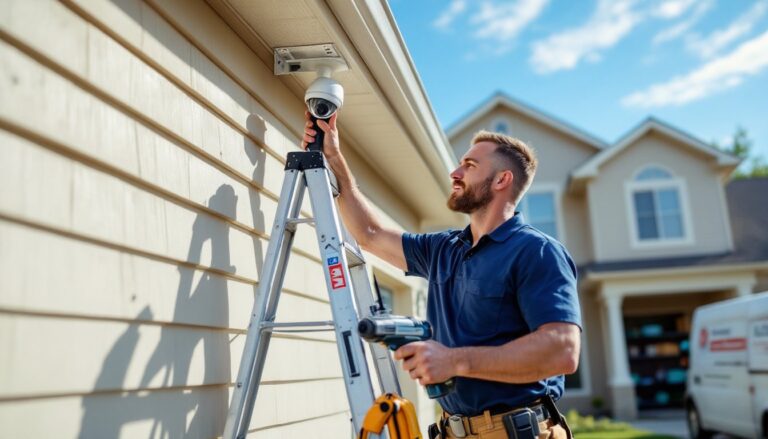
Most modern systems are designed for DIY installation, even with professional monitoring. Here’s how to tackle the job yourself:
1. Plan Your Sensor Layout
Walk your home’s perimeter and identify all entry points: doors, windows, garage entries. Each needs a contact sensor (two-piece magnetic switch). Motion detectors cover interior zones, place them in hallways and common areas with clear sight lines. Avoid aiming motion sensors at windows, HVAC vents, or fireplaces (heat and sunlight trigger false alarms). Sketch a floor plan and mark sensor locations.
2. Install the Base Station
Mount the control panel near your main entry, within reach but high enough to avoid tampering (about 5 feet off the floor). If it requires power, run the cable along baseboards or behind trim for a clean look. Most bases use AC adapters with battery backup: confirm the backup battery is charged before relying on the system.
Cellular modules usually plug into the base station, no extra wiring needed. Connect to your home’s Wi-Fi network through the panel’s setup menu, then verify signal strength. If you’re in a weak-signal area, consider a cellular signal booster or position the base near an exterior wall.
3. Mount Contact Sensors
Contact sensors stick to door/window frames using 3M adhesive backing. Clean the surface with rubbing alcohol first, paint, dust, or moisture kills adhesion. The magnet piece mounts on the moving part (door or sash), the sensor piece on the frame, aligned within ½ inch of each other when closed. Test each one by opening the door/window and confirming the panel registers the breach.
For metal doors or frames, adhesive won’t hold long-term. Use the included screw mounts instead: drill pilot holes with a 1/16-inch bit, then drive the screws into the frame (not the door itself, which moves).
4. Position Motion Detectors
Mount 6 to 7 feet high in a corner for maximum coverage (most detectors cover a 90° arc out to 30 feet). Avoid placing them directly opposite windows or heat sources. If you have pets, enable pet-immunity mode (usually detects motion above a certain weight threshold, around 40 to 80 pounds).
5. Add Environmental Sensors
Smoke/CO detectors mount on ceilings or high on walls, per NFPA 72 guidelines (at least 4 inches from corners to avoid dead air pockets). Water sensors sit on the floor near water heaters, washing machines, and sump pumps. Freeze sensors go in unheated areas like basements or crawl spaces.
6. Sync and Test
Use the system’s app or control panel to pair each device. Most systems auto-detect sensors in pairing mode: name each one clearly (“Front Door,” “Basement Window”) for easier alarm identification. Once synced, arm the system in test mode and trip each sensor to confirm the monitoring center receives the signal. Most providers offer a test dispatch option, operators will call, you confirm it’s a test, and they log it without dispatching police.
7. Activate Professional Monitoring
Once testing is complete, finalize your monitoring contract. The provider will need your address, emergency contacts, and a verbal passcode (used to verify identity during alarm calls). Some require a duress code (a secondary PIN that silently signals the operator you’re under threat).
Safety note: Wear safety glasses when drilling into walls or ceilings, plaster dust and metal shavings are common. Use a stud finder to avoid hitting electrical wires or plumbing. If you’re running new wire for powered cameras, follow NEC Article 725 for low-voltage installations, or hire a licensed electrician if you’re unsure.
For those considering alternatives, resources like GE’s security offerings or Fluent’s modern approach provide different installation models worth comparing.
Conclusion
Professional monitoring transforms a collection of sensors into a genuine safety net, ensuring trained eyes and fast response when it matters most. Whether you choose a legacy provider with decades of track record or a flexible DIY platform with on-demand service, the key is matching the monitoring level to your lifestyle and risk tolerance. Set it up right, test every sensor, confirm cellular backup, and keep false alarms in check, and you’ll have 24/7 protection without second-guessing every notification.