Home invasions happen every 26 seconds in the U.S., but drilling holes through walls and running cable through your attic doesn’t have to be part of your defense plan. Wireless home security systems have evolved from basic motion sensors into fully integrated networks that protect your property without the permanent installation headaches. Whether you’re a renter who can’t modify walls or a homeowner who values flexibility, these systems offer professional-grade protection with DIY-friendly installation. This guide walks through everything from choosing the right components to avoiding common setup mistakes that leave your home vulnerable.
Table of Contents
ToggleKey Takeaways
- A wireless home security system uses radio frequencies or Wi-Fi to connect sensors and cameras without physical wiring, making installation fast, flexible, and ideal for renters who can’t modify walls.
- Wireless security systems require proper encryption (AES-128 or AES-256), dual-path communication with cellular backup, and quality sensors with 300+ feet range to prevent jamming and ensure reliability during internet outages.
- Smart home integration with Alexa, Google Home, and HomeKit enables voice control and automation, while local and cloud storage redundancy protects footage from both digital breaches and physical theft.
- Installation takes just 2–4 hours for most homes when you map entry points, mount sensors 6–7 feet high away from false-trigger sources, and ensure cameras overlap with proper placement and night vision range.
- Common setup mistakes like using default passwords, skipping firmware updates, and mounting sensors on metal surfaces create security gaps; test your wireless home security system in home mode for a week before full activation.
- Integrate environmental sensors for smoke, water, and freeze detection alongside burglar protection, since water damage and fires cause more annual losses than break-ins, while scheduled battery replacements on January 1st annually prevent blind spots.
What Is a Wireless Home Security System?
A wireless home security system uses radio frequencies (typically 433 MHz, 868 MHz, or 915 MHz depending on region) or Wi-Fi to connect sensors, cameras, and control panels without physical wiring between components. Each device communicates with a central hub or directly to your router, transmitting alerts when doors open, motion is detected, or glass breaks.
Most systems include door/window sensors (magnetic contact switches), motion detectors (passive infrared or dual-tech), a control panel or keypad, and at least one indoor or outdoor camera. Premium packages add glass break sensors, smoke and CO detectors, and environmental monitors for flooding or temperature extremes.
The “wireless” label can be misleading, many systems still require power outlets for the hub and cameras, though sensors typically run on CR123A or AA batteries lasting 1–3 years. Completely wire-free setups use rechargeable battery-powered cameras, but those need charging every 2–6 months depending on activity levels.
Unlike professionally installed wired systems that hardwire to your electrical panel, wireless setups don’t require permits in most jurisdictions since they don’t modify your home’s structure. But, always check local codes if you’re adding smart locks or automated deadbolts, as some areas classify electronic locking mechanisms differently.
Why Choose Wireless Over Wired Security Systems?
Flexibility tops the list. Wireless systems move with you, when you relocate, the entire setup pops off walls and transfers to your new place. Renters avoid lease violations since there’s no drywall patching or ceiling fishing required.
Installation time drops from days to hours. Wired systems demand routing cables through walls, drilling exterior penetrations, and potentially hiring an electrician if you’re tapping into mains power. Wireless components mount with adhesive strips or a single screw, and pairing devices to the hub takes minutes via smartphone app.
Expansion is straightforward. Adding a sensor to a wired system means pulling new cable and possibly opening walls. With wireless, you order another sensor, pair it in the app, and stick it on the window. Most hubs support 50–100 devices, scaling from a studio apartment to a 4,000-square-foot home.
Modern systems integrate with smart home ecosystems including Alexa, Google Home, and HomeKit, enabling voice control and automation routines (e.g., lights flash red when motion triggers). Wired legacy systems rarely offer this without expensive proprietary modules.
The trade-off? Wireless systems depend on battery maintenance and Wi-Fi reliability. A wired system powered by your electrical panel keeps running during internet outages, though modern wireless hubs include cellular backup modules (usually $10–15/month) that report alarms even when your router’s offline. Evaluations by independent testing labs consistently show wireless systems now match wired reliability when properly configured.
Key Features to Look for in a Wireless Security System
Start with encryption standards, look for AES-128 or AES-256 bit encryption on both Wi-Fi and RF signals. Cheap systems using unencrypted 433 MHz can be jammed with $20 devices from overseas suppliers.
Dual-path communication (Wi-Fi + cellular) prevents a single point of failure. If someone cuts your internet line or a storm knocks out power, cellular backup keeps the system reporting to monitoring services. Verify the cellular carrier’s coverage in your area, AT&T, Verizon, and T-Mobile each have dead zones.
Camera resolution matters, but 2MP (1080p) is the sweet spot. 4K cameras devour bandwidth and storage without much benefit for identifying faces at typical doorway distances. Prioritize night vision range (look for 25+ feet IR illumination), field of view (130–160 degrees for doorways), and two-way audio with noise cancellation.
Local vs. cloud storage: Cloud plans cost $3–10/month per camera and risk privacy breaches, but they preserve footage if someone steals your hub. Local storage (microSD or NAS) is free and private but vulnerable to physical theft. Systems offering both, like options found in comprehensive security packages, give you redundancy.
Check the sensor range, quality door/window sensors work up to 300 feet from the hub through wood-frame walls. Cheaper units max out at 100 feet, forcing you to buy range extenders for larger homes.
Smart Home Integration and Mobile Control
Native integration beats workarounds. Systems built on Zigbee or Z-Wave protocols connect directly to third-party smart devices without cloud dependencies. Wi-Fi-only systems often require cloud-to-cloud connections that add lag and failure points.
The mobile app should offer real-time notifications with snapshot previews, not just “front door opened” but a thumbnail showing who walked in. Geofencing automatically arms the system when everyone leaves and disarms when the first person returns, though it drains phone batteries faster than manual control.
Look for customizable automation: if the garage door sensor triggers at 2 AM, flash bedroom lights and sound the siren. If smoke is detected, unlock smart deadbolts for firefighter access. Advanced platforms like those in modern Wyze setups let you chain events across brands using IFTTT or Home Assistant.
Guest access controls let you issue temporary codes for contractors or house-sitters, with activity logs showing exactly when they arrived and which doors they accessed. This beats hiding keys under fake rocks.
Battery Life and Power Backup Options
Sensor batteries lasting under 12 months are a red flag. Quality systems use low-power RF protocols that sip energy, expect 2–3 years from door/window sensors and 1–2 years from motion detectors (which wake more frequently).
The hub needs battery backup, a built-in rechargeable that keeps the system live for 12–24 hours during power outages. Some premium hubs include UPS-style backup lasting 48+ hours, critical in areas with unreliable grids.
Cameras are the power hogs. Wired models pull from standard outlets but go dark when power fails unless on a separate UPS. Battery-powered cameras offer flexibility but reduce resolution and frame rates to extend runtime, expect 2–6 months between charges depending on motion frequency. Solar panel accessories can extend this indefinitely in sunny climates but struggle in Pacific Northwest winters.
Lithium vs. alkaline batteries: many sensors ship with alkaline batteries that leak and corrode terminals. Spend the extra $10 on lithium CR123As for sensors, they last 30% longer and handle temperature extremes better, important for outdoor sensors in attics or unheated garages.
Set app alerts for low batteries and keep spares on hand. Dead sensors create security gaps you won’t notice until someone’s already inside.
How to Install Your Wireless Security System (DIY Steps)
Wear safety glasses when drilling mounting holes, and cut power to outlets before installing wired components.
-
Map your layout on graph paper. Mark all entry points (doors, windows, garage), high-traffic areas needing motion sensors, and camera sight lines. RF signals struggle through metal siding and concrete, place the hub centrally in wood-frame homes, but test signal strength in each room before finalizing positions.
-
Mount the hub 3–5 feet off the floor in a climate-controlled room (not the garage where temperatures swing 40+ degrees). Keep it 6+ feet from routers and microwaves to prevent interference. Connect to power and Ethernet (even Wi-Fi systems benefit from wired hub connections for reliability).
-
Install door/window sensors with the magnet on the moving part (door/window) and the contact switch on the frame. Align them within 1/2 inch when closed, larger gaps cause false alarms. Use the included adhesive for painted wood or drywall: drill and screw into metal frames. Test each sensor in the app before moving to the next.
-
Position motion sensors in room corners 6–7 feet high, angled down toward entry points. Avoid pointing at windows (sunlight triggers false positives), heating vents, or ceiling fans. Pet-immune sensors filter out motion under 40 pounds, adjust sensitivity if your Labrador keeps tripping it.
-
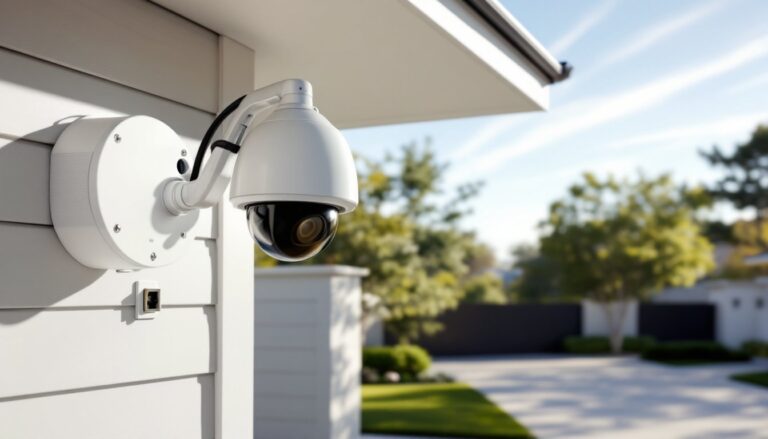
Mount cameras with overlap, each camera’s field of view should catch a neighbor camera. Doorbell cameras go at 48 inches (standard door handle height). Place cameras under eaves, not exposed to rain: even weatherproof models last longer when sheltered. Run a test recording and walk through the frame to verify coverage.
-
Pair all devices through the app, naming them clearly (“Kitchen Window” beats “Sensor 7” when an alert wakes you at 3 AM). Update firmware on every component, many systems ship with outdated software vulnerable to known exploits.
-
Configure alert rules before arming. Start with “notify only” mode for 48 hours to identify false triggers (trees brushing windows, pets, even sunlight patterns). Tighten settings before enabling the siren. Systems like GE’s wireless platforms offer learning modes that adjust automatically.
-
Test cellular backup by unplugging your router. Verify alerts still reach your phone and monitoring service. If cellular fails, confirm the backup SIM is activated and has signal.
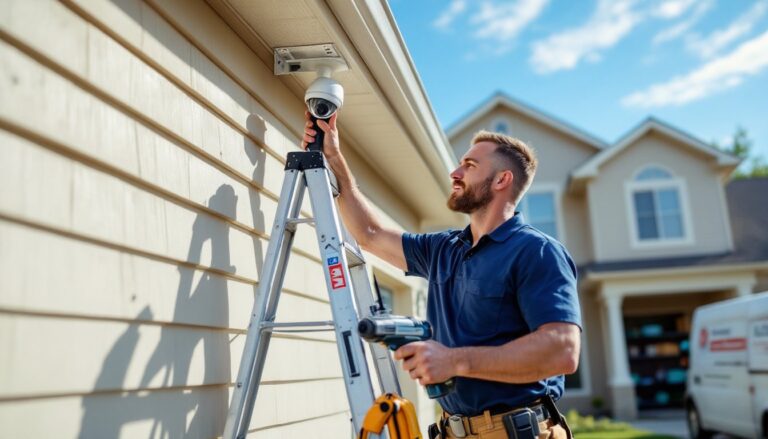
Most installations take 2–4 hours for a 1,500-square-foot home with 10 sensors and 2 cameras. Older homes with plaster-and-lath walls may need RF repeaters every 50 feet, factor an extra hour for placement and testing.
Common Mistakes to Avoid When Setting Up Wireless Security
Using default passwords. Every system ships with admin credentials like “admin/admin” or “1234.” Hackers target these first. Change passwords to 16+ characters mixing letters, numbers, and symbols before connecting to Wi-Fi.
Ignoring firmware updates. Security vulnerabilities get patched monthly. Enable auto-updates or set a calendar reminder to check quarterly. Outdated systems appear in vulnerability databases scanned by attackers.
Poor Wi-Fi planning. Placing cameras 75 feet from the router through three walls guarantees dropouts. Map signal strength with a free analyzer app (NetSpot, WiFi Analyzer) before finalizing camera locations. Add a mesh node or Wi-Fi extender if needed, $40 now beats reinstalling cameras later.
Skipping the test mode. Immediately arming to “away” mode without a break-in period creates false alarm chaos. Spend a week in “home” mode, triggering each sensor intentionally. Note which windows rattle in wind, which doors need adjustment, where pets roam.
Mounting sensors on metal surfaces. Metal blocks RF signals, door sensors on steel frames may show “offline” intermittently. Use plastic spacers to create a 1/4-inch gap, or switch to recessed sensors installed into the door edge (requires drilling a 3/4-inch hole).
Overlooking environmental sensors. Burglary is scary, but water damage and fires cause more annual losses. Integrate smoke detectors (interconnected, not standalone), water leak sensors under water heaters and sinks, and freeze sensors in crawlspaces. The marginal cost is $15–30 per sensor.
Relying solely on cameras. Video is evidence, not prevention. Sensors detect intrusion 30–45 seconds faster than motion-activated cameras, which need time to wake, focus, and record. Layer both, let sensors trigger alarms, and use cameras to verify before calling police. Reviews of established monitoring services show verified video reduces false dispatch rates by 90%.
Forgetting the backup plan. Cellular monitoring costs extra but pays off when storms down internet. Budget $10–15/month if you live in an area with frequent outages. Alternatively, local-only systems like Brinks Home offerings sound sirens without cloud dependency but won’t alert you when you’re away.
Neglecting battery schedules. Dead sensors create blind spots. Replace all sensor batteries on a fixed annual schedule (January 1 works), even if apps show 50% remaining. Batteries degrade faster in temperature extremes, check attic and basement sensors quarterly.
Finally, test the full alarm quarterly. Arm the system, trip a sensor, verify the siren sounds, check that monitoring calls you, and walk through your response plan. Recent analyses from security testing organizations found 40% of systems fail during actual events due to misconfiguration caught only by full-system tests.
Wireless security works when installed thoughtfully and maintained actively. Skip the corners, test rigorously, and your system becomes a reliable layer between your family and threats, without fishing a single wire through your walls.