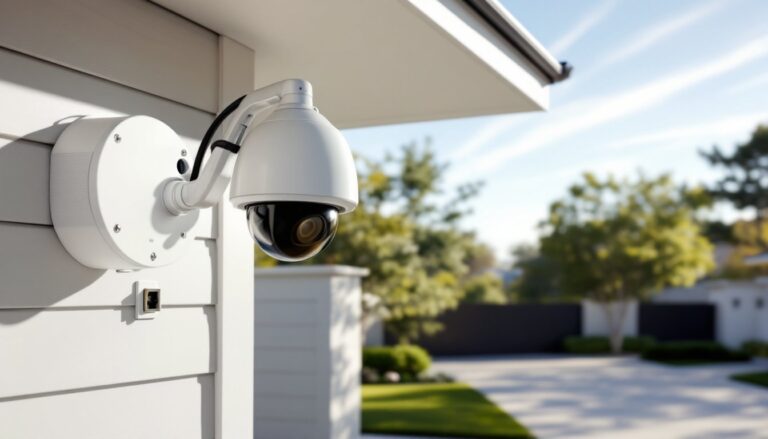
Wireless security cameras have come a long way from grainy, pixelated footage that barely captured a license plate. Today’s 4K wireless cameras deliver the kind of detail that can identify a face from across the yard or catch a package thief’s tattoo. With resolution four times sharper than 1080p, these systems have become the new standard for homeowners who want serious protection without running cable through walls. But higher resolution means bigger files, more bandwidth, and questions about battery life and storage. This guide walks through what matters when choosing, installing, and maintaining a 4K wireless security camera system, cutting through marketing buzzwords to focus on what actually keeps your home secure.
Table of Contents
ToggleKey Takeaways
- 4K wireless security cameras offer four times sharper resolution than 1080p, enabling facial identification and digital zoom during playback without losing critical detail.
- A single 4K security camera can monitor wider coverage areas like driveways and entry points with usable detail, reducing the need for multiple units and battery power demands.
- Choose cameras with 1/2.8-inch or larger sensors, 110 to 130-degree field of view, and AI-powered motion detection to minimize false alerts and maximize relevant security coverage.
- Battery-powered 4K wireless cameras last 2 to 6 months depending on activity and temperature, while solar panels with 3+ hours daily sunlight provide indefinite trickle charging.
- Hybrid storage combining local microSD cards or NVR base stations with cloud backup eliminates recurring subscription costs while protecting critical footage through redundancy.
- Optimize 4K wireless performance by using uncongested Wi-Fi channels (1, 6, or 11 on 2.4 GHz), maintaining at least 60% signal strength, and ensuring 2 to 5 Mbps upload bandwidth per camera.
Why 4K Resolution Matters for Wireless Security Cameras
4K resolution, also called Ultra HD or 3840 × 2160 pixels, delivers approximately 8.3 million pixels per frame. Compare that to 1080p’s 2.1 million, and the difference becomes clear when you need to zoom in on recorded footage. A 4K camera lets homeowners digitally zoom into a section of the frame during playback without losing detail, which proves critical when reviewing evidence for police reports or insurance claims.
The practical benefit shows up in coverage area. A single 4K camera can monitor a wider field of view while retaining enough detail to identify individuals at a distance. Where a 1080p camera might require two units to cover a driveway and front walkway with usable detail, one 4K unit can handle both. This reduces the number of cameras needed, which matters for wireless systems that rely on battery power or solar charging.
Night vision performance also improves with higher resolution. More pixels mean infrared LEDs can illuminate details that lower-resolution sensors would render as murky shapes. Many 4K wireless cameras now include color night vision technology, using ambient light from street lamps or porch lights to maintain color accuracy even in low-light conditions. When comparing models, homeowners testing camera options during promotions should verify night vision range, typically 25 to 100 feet depending on the camera’s IR LED array.
Bandwidth and storage become the trade-offs. A 4K camera recording at 30 frames per second with H.265 compression typically uses 4 to 8 GB of storage per hour, depending on motion activity and compression settings. Wireless models need strong Wi-Fi signals, preferably Wi-Fi 5 (802.11ac) or newer, to handle the data stream without dropped frames or connection issues.
Key Features to Look for in a 4K Wireless Security Camera
Not all 4K wireless cameras deliver the same performance. The sensor type matters as much as pixel count. Look for cameras with 1/2.8-inch or larger sensors, smaller sensors struggle in low light even though high resolution. Sony STARVIS sensors have become the go-to choice for serious night performance, pulling usable color detail from minimal ambient light.
Field of view (FOV) determines coverage. Most 4K wireless cameras offer between 110 and 160 degrees horizontal FOV. Wider isn’t always better, a 160-degree ultra-wide lens introduces barrel distortion at the edges and may waste resolution on sky or ground. For monitoring entry points like doors or gates, a 110 to 130-degree lens provides better detail where it matters.
Two-way audio quality varies wildly between models. Cheap speakers produce tinny, unusable sound. Test audio before permanent installation, homeowners should be able to clearly communicate through the camera’s app without shouting or echo. Look for cameras with noise cancellation and separate volume controls for speaker and microphone.
Weather resistance ratings use the IP (Ingress Protection) code. For outdoor wireless cameras, minimum spec should be IP65 (dust-tight, protected against water jets). IP66 or IP67 offers better protection against heavy rain and temporary submersion. Check the operating temperature range too, cameras rated for -4°F to 122°F handle most climates, but extreme cold regions need units tested below -20°F.
Motion detection should offer customizable zones and AI-powered object recognition. Basic PIR (passive infrared) sensors trigger on any heat movement, including swaying branches or passing cars. Better systems use computer vision to distinguish between people, vehicles, animals, and packages. This reduces false alerts from 80+ notifications per day to fewer than 5 relevant ones.
Power Options and Battery Life Considerations
Wireless doesn’t mean wire-free when it comes to power. True battery-powered cameras offer the easiest installation but require recharging every 2 to 6 months depending on activity levels and temperature. Cold weather cuts battery life significantly, a camera lasting 6 months in summer might need monthly charging when temperatures drop below freezing.
Rechargeable battery packs (typically 5,000 to 10,000 mAh lithium-ion) can be swapped without taking the camera down if you buy a spare. Some models use standard 18650 cells, which cost less to replace than proprietary batteries. Always check battery availability and replacement cost before buying.
Solar panel add-ons solve the recharging hassle for cameras getting 3+ hours of direct sunlight daily. These panels (usually 2.5 to 4 watts) provide trickle charging that keeps batteries topped off indefinitely in most climates. Position panels facing south (in the Northern Hemisphere) at a 30 to 45-degree angle for optimal year-round charging. Use 14 to 18 AWG outdoor-rated cable if extending the connection between panel and camera, voltage drop over thin wire reduces charging efficiency.
Plug-in wireless cameras eliminate battery concerns but require outdoor outlets or drilling to route low-voltage cable. These provide continuous recording rather than the motion-activated recording that battery models use to conserve power. For comprehensive coverage without gaps, plug-in power beats battery operation.
Storage Solutions: Cloud vs. Local Recording
Cloud storage subscriptions range from $3 to $10 per camera per month for 30-day rolling storage. Multi-camera plans often drop the per-camera cost. Cloud storage enables remote access to footage from anywhere and protects recordings if the camera gets stolen or damaged. The downside: ongoing costs that exceed the camera’s purchase price within 2 to 3 years, plus dependence on internet connectivity.
Local storage via microSD card (typically 64 to 256 GB) or a network video recorder (NVR) base station eliminates monthly fees. A 128 GB card holds approximately 15 to 30 hours of 4K footage depending on compression and activity. Cards fill up and loop-record, overwriting the oldest files. For important events, homeowners need to download clips before they’re overwritten.
Some systems offer hybrid storage, recording continuously to local storage while uploading motion-triggered clips to the cloud. This provides redundancy without eating through cloud storage quotas. Verify whether the base station includes backup battery power, losing electricity shouldn’t mean losing security coverage during a break-in.
Encryption matters for both cloud and local storage. Look for AES 128-bit or 256-bit encryption for video streams and stored files. Some budget cameras skip encryption entirely, broadcasting footage in the clear over Wi-Fi where it can be intercepted.
Installing Your 4K Wireless Security Camera: A DIY Guide
Start with a site survey before drilling any holes. Walk your property while monitoring the camera’s live view on your phone to test Wi-Fi signal strength at each potential mounting location. Most camera apps show signal bars or percentage. Anything below 60% signal will cause choppy video or disconnections. For weak signal areas, add a Wi-Fi extender or mesh network node before mounting cameras.
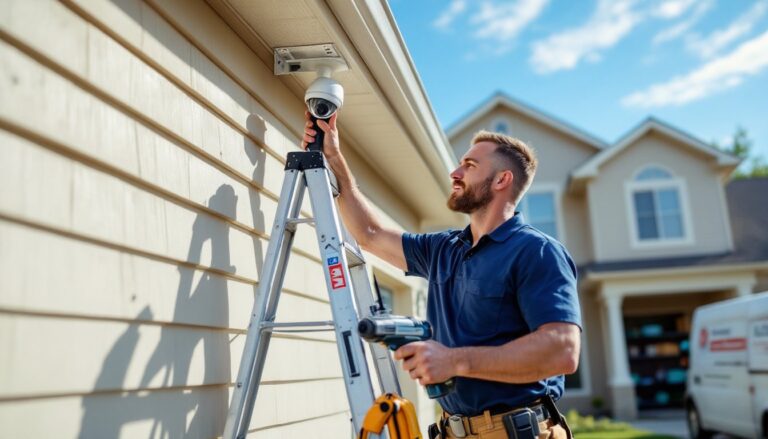
Mounting height affects both coverage and tampering risk. Install cameras 8 to 10 feet off the ground, high enough to prevent casual tampering but low enough to capture facial features clearly. Angling down at 15 to 30 degrees provides optimal coverage of doors, walkways, and driveways. For professional installation guidance tailored to various home security camera systems, consider reviewing placement strategies before committing to permanent mounts.
Most wireless cameras include mounting brackets and hardware. For wood siding or trim, use the included screws (typically #8 or #10 pan-head). Pre-drill pilot holes slightly smaller than the screw diameter to prevent splitting. For brick, stucco, or concrete, use 1/4-inch masonry anchors and a hammer drill with a masonry bit. Mark hole positions with painter’s tape to prevent the bit from walking.
Cable management matters even for wireless cameras with solar panels or optional power cables. Use UV-resistant cable clips rated for outdoor use, standard indoor clips become brittle and crack within months. Route cables along eaves, trim, or downspouts where they’re less visible. If drilling through exterior walls, angle holes slightly downward on the outside to prevent water intrusion, and seal with silicone caulk (not latex, it degrades outdoors).
Pair cameras with the base station or app before final mounting. Test motion detection, night vision, and two-way audio from the mounting location while the camera’s still hand-held. Adjusting settings from a ladder is frustrating, get it dialed in from ground level first.
Safety note: Wear safety glasses when drilling overhead, and use a stable ladder with someone footing it when working above 6 feet. Inspect ladders for cracks or bent rails before climbing.
Optimizing Performance and Troubleshooting Common Issues
Wi-Fi interference kills wireless camera performance faster than any hardware issue. The 2.4 GHz band, which most wireless cameras use for better range, shares space with cordless phones, baby monitors, and microwave ovens. Log into your router and switch to a less congested channel, use a Wi-Fi analyzer app to identify which channels neighbors aren’t using. Channels 1, 6, and 11 don’t overlap in the 2.4 GHz band and typically provide the cleanest signals.
Some 4K cameras support 5 GHz Wi-Fi, which offers more bandwidth and less interference but shorter range. Use 5 GHz for cameras within 50 feet of the router with clear line of sight. Stick with 2.4 GHz for cameras farther out or behind multiple walls.
Lens cleaning prevents gradual image degradation that homeowners often mistake for camera failure. Dust, pollen, and spider webs accumulate on the lens dome. Clean monthly using a microfiber cloth and lens cleaner, never use paper towels or rough fabrics that scratch the lens. For stubborn dirt, slightly dampen the cloth with water. Independent testing from trusted home product reviewers often highlights how regular maintenance extends equipment lifespan.
Firmware updates patch security vulnerabilities and improve performance. Enable automatic updates if available, or check quarterly. Outdated firmware leaves cameras vulnerable to hijacking, in 2025, a botnet exploited cameras running firmware more than 18 months old. Set a calendar reminder to verify current firmware versions.
Motion detection false alerts usually stem from poorly configured detection zones or sensitivity settings. Exclude areas with moving trees, busy streets, or changing shadows. Reduce sensitivity in 10% increments until false alerts drop below 2 to 3 per day. AI-powered person detection helps, but it’s not perfect, expect occasional false positives from delivery drivers or pets.
For battery-powered cameras draining faster than expected, check activity logs. Constant motion triggers (like a camera facing a busy street) force continuous recording that kills batteries in days instead of months. Reposition cameras to avoid high-traffic areas outside your property, or switch to motion zones that exclude those areas.
Connection drops often trace to router issues rather than cameras. If multiple cameras disconnect simultaneously, reboot the router and check for firmware updates. Routers older than 3 to 4 years may lack the processing power to handle multiple 4K streams, upgrading to a modern router with MU-MIMO (multi-user, multiple input, multiple output) technology improves stability. Systems like the Wyze security platform provide integrated hubs that offload processing from home routers.
Video lag during live viewing typically indicates insufficient upload bandwidth. Most 4K cameras need 2 to 5 Mbps upload speed per camera. Run a speed test during peak usage hours, if upload speed drops below 10 Mbps total, consider reducing the number of cameras streaming simultaneously or lowering stream quality for remote viewing while maintaining 4K for local recording.
Conclusion
4K wireless security cameras deliver professional-grade surveillance without the complexity of wired installations. The jump in resolution pays off when reviewing footage matters most, identifying faces, reading license plates, or providing evidence to authorities. Focus on cameras with quality sensors, reliable power options, and storage solutions that fit long-term budgets. Proper installation and routine maintenance keep these systems running reliably for years, providing peace of mind that blurry, outdated cameras simply can’t match.