Wireless security cameras have come a long way from grainy footage and tangled cables. Arlo has been a player in the DIY home security space for years, pitching itself as the go-to for homeowners who want professional-grade monitoring without the hassle of hardwiring or monthly contracts, though there’s a catch on that last part. With several models on the market and evolving subscription tiers, the question isn’t whether Arlo cameras work, but whether they’re the right fit for your property, budget, and patience level. This review cuts through the marketing to give you the practical breakdown.
Table of Contents
ToggleKey Takeaways
- Arlo security cameras offer wire-free installation with IP65 weather resistance and AI-powered detection features, making them ideal for DIY homeowners who want flexibility without running cables.
- A subscription is essential to unlock cloud recording and smart notifications—without it, you only get basic motion alerts, making the total cost of ownership significantly higher than upfront purchases of hardwired systems.
- Battery life in real-world scenarios ranges from 4–6 weeks in high-traffic areas to 3–6 months in low-activity zones, and cold weather can reduce runtime by 30–40%, requiring users to plan for frequent recharging or wired power alternatives.
- An Arlo security camera review should factor in the ecosystem integration with Alexa, Google Assistant, and Apple HomeKit, allowing seamless smart home automation like triggering lights or routines through motion detection.
- Setup is genuinely DIY-friendly with magnetic mounts and QR code pairing, but Wi-Fi range and mandatory two-factor authentication can extend installation time and may cause dropouts if your router is far from the camera location.
- Arlo cameras are best suited for renters, detached structures, and multi-camera setups where convenience outweighs cost, but homeowners prioritizing privacy, 24/7 recording, or avoiding subscriptions should consider wired PoE systems instead.
What Makes Arlo Cameras Stand Out for Home Security?
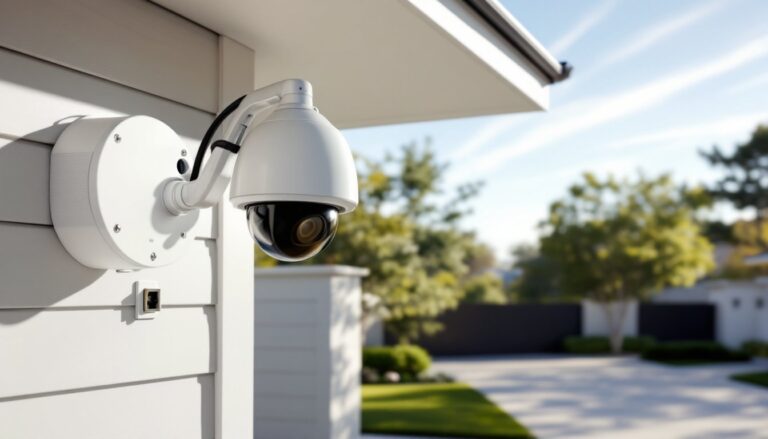
Arlo built its reputation on wire-free installation and weather-resistant housings that can handle everything from Arizona summers to Minnesota winters. The cameras use a proprietary base station or connect directly to Wi-Fi, depending on the model. This flexibility means you can mount a camera on a detached garage, garden shed, or front gate without running conduit or hiring an electrician.
The ecosystem integrates with Alexa, Google Assistant, Apple HomeKit, and SmartThings, making it a solid choice for existing smart home setups. You can trigger routines, view live feeds on smart displays, and link cameras to other devices, like turning on porch lights when motion is detected.
What sets Arlo apart from budget competitors is the hardware quality. The IP65 rating (dustproof and resistant to water jets) and operating range of -4°F to 113°F mean these cameras won’t quit when weather gets rough. The magnetic mounts simplify repositioning, though you’ll want to use the included security screws on exterior installations to prevent theft.
Arlo also offers person, vehicle, package, and animal detection via AI, which cuts down on false alerts from swaying branches or passing cats. That feature requires a subscription on most models, which we’ll cover later.
Key Features and Performance Analysis
Video Quality and Night Vision
Most current Arlo models shoot in 2K or 4K resolution, which is sharp enough to read license plates or identify faces at 15–20 feet. The 160° field of view on models like the Arlo Pro 5S covers a two-car driveway without blind spots. Compare that to the 110° view on older budget cams, and you’ll see why corner placement works better with Arlo.
HDR (High Dynamic Range) helps balance bright skies and shadowed doorways, so you’re not squinting at a silhouette when someone’s backlit by afternoon sun. Video is compressed using H.265 codec, which reduces file size without noticeable quality loss, important when you’re storing clips in the cloud.
Night vision uses infrared LEDs with a range up to 25 feet. It’s black-and-white footage, but detail is solid. Higher-end models add a color night vision mode using a built-in spotlight, which can startle intruders but also drains the battery faster. You can schedule the spotlight or trigger it manually through the app.
One quirk: live streaming has a 2–4 second delay, typical for cloud-based systems. If you’re used to hardwired systems with near-instant feeds, this can feel sluggish. It’s fine for checking who’s at the door, less ideal for real-time monitoring of active situations.
Battery Life and Power Options
Battery performance is where Arlo cameras get real-world mixed reviews. The advertised 3–6 month battery life assumes 4 minutes of recording per day with average motion events. Heavy traffic areas, like a front porch facing a busy sidewalk, can drain a battery in 4–6 weeks.
Arlo uses rechargeable lithium-ion batteries that you pop out and charge via USB or a separate charging station (sold separately for about $50). Swapping takes 30 seconds, but if your camera is mounted 12 feet up on a gable, you’ll need a ladder every month. Some users keep a spare battery charged and rotate them.
Alternatively, you can run a 25-foot weatherproof charging cable to a power outlet, turning the camera into a wired system. This works well for high-traffic spots but defeats the wire-free selling point. A few models support solar panel accessories that trickle-charge the battery, effective in sunny climates, underwhelming in the Pacific Northwest.
Cold weather hammers battery life. Below 32°F, expect 30–40% shorter runtime. Lithium batteries hate the cold, and there’s no workaround beyond more frequent charging or switching to wired power.
Compared to smart home security setups that rely on hardwired cameras, Arlo’s battery convenience trades consistency for flexibility.
Installation and Setup: How DIY-Friendly Are Arlo Cameras?
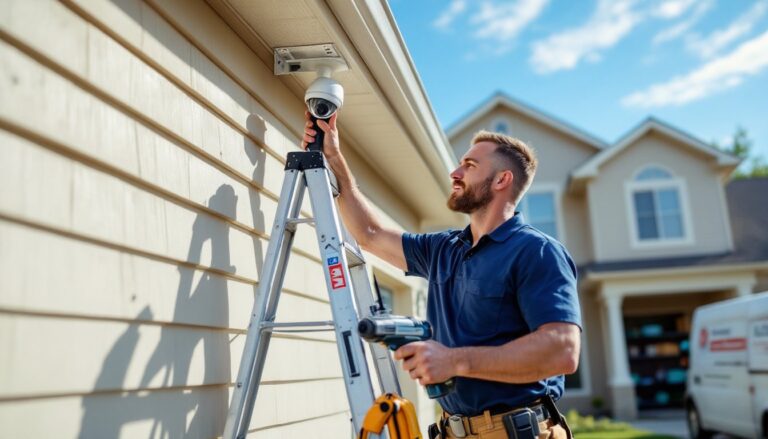
Installation is genuinely DIY-friendly, even if you’ve never mounted anything beyond a picture frame. The magnetic mounts attach to metal surfaces (garage doors, steel siding) or screw into wood, vinyl, or masonry with the included anchors. A level and cordless drill are helpful but not required, pilot holes prevent splitting on wood trim.
Mounting height matters. Aim for 7–10 feet to avoid tampering while keeping faces in frame. Too high, and you’re recording the tops of heads. Too low, and someone can yank the camera down. The adjustable mount ball-joint lets you tilt and swivel after installation, so you can fine-tune the view.
Wi-Fi range is the common gotcha. Arlo cameras need a solid signal, if your router’s in the basement and the camera’s on a second-floor eave 60 feet away, expect dropouts. Models with a base station use a proprietary low-power radio that can reach farther than Wi-Fi, but the base station itself still needs ethernet and power near your router.
App setup is straightforward: scan a QR code on the camera, connect to your network, name the device, and set activity zones. Activity zones let you ignore motion in the street while monitoring your driveway. The app walks you through it, and most users are recording within 15 minutes.
One heads-up: Arlo’s two-factor authentication is mandatory, which is good for security but annoying if you’re setting up multiple cameras and constantly entering codes. If you’re installing four cameras, budget 45 minutes for the full setup.
No permits are required for camera installation, you’re not altering structure or electrical systems. But, check local laws on recording audio and positioning cameras toward neighbors’ property. Some jurisdictions restrict audio recording without consent, and pointing a camera directly at a neighbor’s window can land you in small claims court.
Pricing, Subscription Plans, and Value for Money
Arlo cameras start around $100 for basic models (Arlo Essential) and climb to $250+ for flagship units (Arlo Ultra 2, Pro 5S). A two-camera kit typically saves $20–40 versus buying individually. Sales around Black Friday and Prime Day can knock 25–30% off, so timing matters if you’re buying multiple units.
Here’s the friction point: subscription plans. Without a subscription, you get live streaming and basic motion alerts, but no cloud recording, smart notifications, or AI detection. Essentially, you can watch live and get a generic “motion detected” ping, not useful for filtering out the neighbor’s cat.
Arlo Secure plans break down like this:
- Secure (single camera): $4.99/month or $49.99/year. Includes 30 days of cloud storage, smart notifications (person, vehicle, package, animal), and advanced object detection.
- Secure Plus (unlimited cameras): $12.99/month or $129.99/year. Same features across all cameras, plus 60 days of 4K cloud storage and stolen camera replacement.
- Secure Max: $24.99/month or $249.99/year. Adds 24/7 professional monitoring, cellular backup, and extended warranties.
For a typical four-camera setup, Secure Plus is the value play. At $130/year, that’s less than many competitors’ monitoring fees. But if you only need one or two cameras and don’t care about AI detection, you might find systems like Xfinity Home Security or hardwired NVR setups more cost-effective long-term.
There’s also the question of local storage. Older Arlo base stations supported USB drives for local recording, but Arlo has phased that out on newer models, pushing users toward cloud subscriptions. If you’re privacy-conscious or in a rural area with spotty internet, this is a dealbreaker.
Compare this to systems offering free local storage via SD cards or NVRs, and Arlo’s recurring costs add up. Over five years, a $200 camera with a $130/year subscription costs $850, more than some professional wired systems. But, reviews from home security testing labs often highlight Arlo’s reliability and ease of use as justifying the premium.
Pros and Cons: Who Should Choose Arlo Cameras?
Pros:
- Truly wireless installation with no drilling holes for cables. Ideal for renters, siding you don’t want to pierce, or detached structures.
- Strong ecosystem integration. Works seamlessly with Alexa, Google, and Apple smart home platforms.
- Reliable hardware. IP65 weather rating and wide operating temps handle real-world conditions.
- AI detection cuts false alerts significantly when paired with a subscription.
- Flexible power options: battery, solar, or wired, depending on your setup.
Cons:
- Subscription dependency. Without paying monthly, you lose most useful features. Comparable systems from Brinks or local-storage competitors may offer better no-subscription experiences.
- Battery life variability. High-traffic areas or cold climates demand frequent recharging or wired power, negating the wireless advantage.
- Cloud-only recording on new models. No local storage option removes a privacy and reliability safeguard.
- Lag in live view. The 2–4 second delay isn’t ideal for real-time interaction.
- Cost creep. Multiple cameras plus annual subscriptions add up fast compared to one-time NVR purchases.
Who should buy Arlo cameras?
Homeowners who value easy DIY installation, already use compatible smart home devices, and don’t mind subscription fees for advanced features. They’re excellent for covering blind spots around a property, monitoring package deliveries, or keeping an eye on a vacation home remotely.
Avoid Arlo if you need 24/7 continuous recording (battery and cloud storage aren’t built for that), want local-only storage for privacy, or have a tight budget that can’t absorb recurring costs. In those cases, hardwired PoE camera systems or home security specials with upfront NVR purchases make more sense.
Renters, condo owners, or anyone unable to run wiring will find Arlo’s magnetic mounts and battery power hard to beat. For permanent installations on a new-build home, consider whether the long-term subscription cost justifies the convenience, or if investing in conduit and wired cameras during construction saves money over a decade.
Safety note: Wireless cameras depend on Wi-Fi and battery power. For critical security zones (like a single entry point on a rural property), consider pairing Arlo with a hardwired backup system or a model that supports wired power and cellular backup to avoid downtime during power outages or internet failures. Testing by consumer product reviewers and independent evaluators consistently emphasize redundancy for high-stakes security.
Bottom line: Arlo cameras deliver on ease and flexibility. Whether that’s worth the premium depends on how much you value wireless convenience over long-term cost and control.