A 12 camera security system isn’t overkill, it’s whole-home coverage done right. Whether you’re protecting a larger property, monitoring multiple access points, or just want every blind spot covered, a dozen cameras offer the kind of comprehensive surveillance that a four-camera starter kit can’t match. This guide walks through what makes a 12 camera setup worth the investment, what features actually matter, and how to plan an installation that doesn’t leave gaps in your coverage or holes in your wallet.
Table of Contents
ToggleKey Takeaways
- A 12 camera security system provides comprehensive whole-home coverage, redundancy, and protection for larger properties with multiple entry points, outbuildings, and overlapping surveillance zones.
- Resolution matters more than camera count—4K (8MP) is ideal for identifying faces and license plates, while infrared night vision with 65+ feet range is essential for low-light monitoring.
- POE (power over Ethernet) wired systems are more reliable than wireless setups for 12 cameras, simplifying installation and eliminating battery management headaches across multiple units.
- Local NVR storage with 4TB to 8TB drives using H.265+ compression is critical for managing multi-camera footage, with hybrid cloud backup offering protection against equipment theft or damage.
- Strategic camera placement at 8-10 feet on entry points, driveways, side gates, and outbuildings maximizes coverage, while overlapping fields of view catch activity from multiple angles.
- Budget $600–$1,500 for a quality 12 camera POE system, factor in additional hard drives for storage, ensure ONVIF compliance for equipment flexibility, and verify mobile app support before purchasing.
Why Choose a 12 Camera Security System for Your Home?
Most homes can get by with four to eight cameras if they’re strategically placed. But if you’ve got a larger lot, outbuildings, multiple entry points, or just want layered coverage with overlapping fields of view, 12 cameras start to make sense.
A 12 camera system provides redundancy. If one camera’s view gets blocked by a tree branch or a delivery truck, another angle picks up the slack. It’s also ideal for properties with detached garages, side gates, back porches, driveways, and front entries, all of which need independent monitoring.
You’re also future-proofing. Adding cameras later often means buying a whole new NVR (network video recorder) or dealing with mismatched equipment. A 12 channel system gives you room to grow without starting over.
Cost-wise, buying a complete 12 camera kit is almost always cheaper than piecing together cameras individually. Kits bundle the NVR, cameras, cables, and power supplies, and many include POE (power over Ethernet) switches that simplify installation.
That said, 12 cameras aren’t necessary for every home. A standard suburban lot with limited access points might be over-monitored with that many units. But for rural properties, homes with multiple structures, or anyone serious about perimeter security, it’s a solid baseline.
Key Features to Look for in a 12 Camera Setup
Not all 12 camera systems are created equal. The difference between a system that works and one that frustrates you comes down to a few core specs.
Resolution and Night Vision Capabilities
Resolution matters more than camera count. A dozen 1080p cameras will outperform sixteen 720p units every time. As of 2026, most reputable systems offer 4K (8MP) resolution, which gives you the clarity needed to identify faces, license plates, and package labels, not just blurry shapes.
Look for cameras with a minimum of 1080p (2MP) for general monitoring, but 4K is the sweet spot if you want usable footage for insurance claims or law enforcement. Some systems mix resolutions, 4K for high-priority zones like the front door, 1080p for secondary areas.
Night vision is non-negotiable. Infrared (IR) LEDs are standard and work well up to 100 feet in total darkness. Color night vision, which uses ambient light or built-in spotlights, is becoming more common and offers better detail for identifying clothing or vehicle colors. According to best home security cameras comparisons, systems with starlight sensors perform well in low-light conditions without relying solely on IR.
Check the IR range spec, it’s usually listed in feet or meters. A camera rated for 65 feet won’t cover a large backyard effectively, so match the range to your actual distances.
Storage Options and Cloud vs. Local Recording
Storage is where many DIYers get tripped up. A 12 camera system running 24/7 at 4K can generate several terabytes per month.
Local recording via an NVR with a built-in hard drive is the most common setup. Look for systems that support 4TB to 8TB HDDs, anything less will force you into short retention windows or lower resolution. Many NVRs accept two drives for redundancy.
Cloud storage is convenient but comes with recurring fees. It’s useful for offsite backup in case the NVR is stolen or damaged, but uploading 12 camera feeds continuously eats bandwidth and costs add up fast. Hybrid systems that store locally but upload motion-triggered clips to the cloud offer a good middle ground.
Some systems support continuous recording, others only record on motion detection. Motion-only saves storage but can miss events if detection zones aren’t configured correctly. Continuous recording is safer but requires more capacity.
Make sure the system supports H.265+ compression (also called HEVC). It cuts file sizes by up to 50% compared to older H.264 codecs without sacrificing quality, which is critical when you’re managing 12 feeds.
When comparing systems, note that certain home security systems offer scalable storage options that align well with multi-camera setups.
Strategic Camera Placement: Maximizing Coverage
Twelve cameras give you flexibility, but placement still requires planning. Random mounting leads to blind spots and wasted angles.
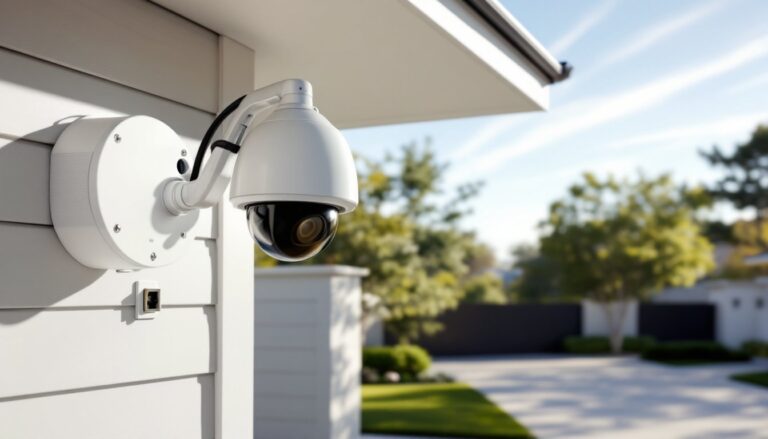
Start with the perimeter and entry points: front door, back door, side gates, garage doors, and any ground-floor windows. These are your high-priority zones. Mount cameras at 8 to 10 feet, high enough to avoid tampering, low enough to capture faces clearly.
Use overlapping coverage for driveways and walkways. If one camera faces down the driveway and another covers the approach from a side angle, you’ll catch activity even if someone tries to avoid one lens.
Don’t forget secondary structures, sheds, detached garages, pool houses. These are often targeted because they’re away from the main house and less monitored.
For larger yards, place cameras to cover property lines and fence gates. Wide-angle lenses (90° to 110°) work for broad areas, but narrower lenses (60° to 80°) are better for long driveways or side yards where you need depth over width.
Avoid aiming cameras directly at bright lights, windows, or reflective surfaces, glare and wash-out will ruin footage. Adjust angles during daylight and verify night vision performance after dark.
Interior cameras are optional but can monitor hallways, basement stairs, or rooms with valuable equipment. Just be mindful of privacy, bedrooms and bathrooms are off-limits in most jurisdictions and raise serious legal and ethical issues.
Sketch a site map before you drill. Mark camera locations, cable runs, and the NVR position. This helps you estimate cable lengths (most POE kits include 60-foot runs: longer distances need quality Cat5e or Cat6 cable). Proper camera installation techniques can prevent common mistakes and ensure optimal coverage.
DIY Installation vs. Professional Setup: What Homeowners Need to Know
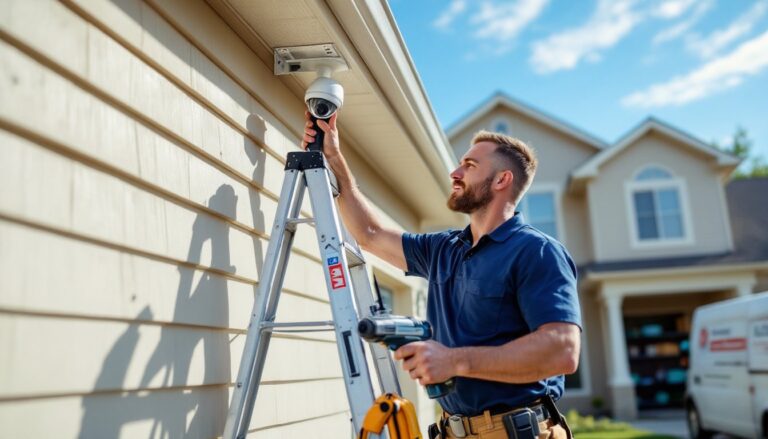
Most 12 camera systems are designed for DIY installation, especially POE kits where a single Ethernet cable per camera handles both power and data. If you’re comfortable running cable through attics or along soffits and can use a drill, you can handle this.
DIY Pros:
- Significant cost savings, professional installation for 12 cameras can run $800 to $2,000 depending on your region and complexity.
- Full control over placement and configuration.
- No scheduling delays or waiting for crews.
DIY Challenges:
- Running cable through finished walls or across long distances takes time and patience.
- Drilling into brick, stucco, or fiber cement siding requires the right bits and technique.
- Configuring network settings, port forwarding, and mobile access can stump less tech-savvy homeowners.
- Ladder work for mounting cameras 8 to 10 feet up requires caution and ideally a second set of hands.
If your home has complex rooflines, requires conduit runs for exposed cable, or if you’re not comfortable with basic networking, hiring a pro makes sense. Many security companies offer installation-only services if you supply the equipment.
Permits are rarely required for camera installation itself, but check local rules if you’re running new electrical circuits to power the NVR or outdoor outlets. Also, be aware of privacy laws, cameras shouldn’t record neighbors’ yards or public sidewalks in ways that violate local ordinances.
For homeowners exploring budget-friendly options, checking security camera discounts can help offset installation costs.
Safety note: Always wear safety glasses when drilling overhead, and use a voltage tester if you’re working near existing wiring. Outdoor installations in wet conditions require weatherproof connectors and proper cable sealing to prevent moisture intrusion.
Top Considerations Before Purchasing Your System
Before you buy, nail down a few key details to avoid buyer’s remorse.
Wired vs. Wireless: Most 12 camera systems are wired POE setups. Wireless sounds convenient, but managing battery changes or solar charging for 12 units is a headache, and WiFi bandwidth struggles with that many simultaneous streams. POE is more reliable and doesn’t depend on your home network’s wireless coverage.
Brand Ecosystem: Stick with systems that don’t lock you into proprietary apps or cloud services that could disappear. Look for ONVIF-compliant cameras, this open standard lets you mix and match equipment or switch NVRs down the line.
Mobile Access and Alerts: A system is only useful if you can check it remotely. Verify the mobile app works on both iOS and Android, supports live view for all 12 cameras, and sends push notifications for motion events. Some apps let you customize detection zones per camera, critical for reducing false alarms from trees, cars, or animals.
Warranty and Support: A 12 camera system is an investment. Look for at least a two-year warranty on cameras and NVR, and confirm the company offers actual tech support, not just a FAQ page. When evaluating brands, resources like top home security cameras provide updated comparisons and user feedback.
Power Backup: If the power goes out, your system goes dark unless you plan ahead. A UPS (uninterruptible power supply) rated for at least 1000VA will keep the NVR and POE switch running for 30 minutes to several hours depending on load.
Scalability: Even if you’re installing 12 cameras now, a 16-channel NVR gives you room to add more later without replacing the recorder.
Budget Reality Check: Expect to spend $600 to $1,500 for a quality 12 camera POE system in 2026, depending on resolution and features. Cheaper kits exist but often skimp on night vision, build quality, or software. Factor in the cost of additional hard drives if the included storage is under 2TB. For context, popular alternatives like a GE home security system offer scalable options that balance cost and capability.
Finally, read reviews from actual users, not just marketing copy. Look for mentions of firmware updates, app stability, and customer service responsiveness, these make or break long-term satisfaction with any security system.